
eLearning Tech Stack Advisor
Find the perfect platform based on your budget, skills, and goals
Your Profile
Recommended Path
Fill in your details and click "Analyze My Needs" to see your recommended tech stack.

Quick Summary: The Blueprint for Success
- Define Your Niche: Solve one specific problem for one specific audience.
- Choose Your Tech: Decide between a SaaS platform (fast) or custom development (flexible).
- Content Strategy: Blend video, interactive quizzes, and community support.
- Monetization: Pick a model (subscription, one-time, or freemium) that fits your value.
- Growth: Focus on student outcomes and testimonials to drive organic traffic.
The Foundation: Finding Your Profitable Angle
Before you touch a single line of code or sign up for a subscription, you need to validate your idea. Most people make the mistake of building the platform first and then looking for students. Flip that. Look for the pain point first. Why are people struggling with the current options? Maybe the existing courses are too academic and lack practical, hands-on projects. Or perhaps they are too expensive for the value they provide.
A great way to validate is the 'Presell' method. Create a simple landing page describing your course and see if people are willing to put down a small deposit or join a waitlist. If you can't get 50 people to give you their email address for a free guide on the topic, they definitely won't pay $200 for a full course.
Choosing Your Tech Stack
This is where most founders get stuck. You have three main paths, depending on your budget and technical skills. Learning Management System is a software application for the administration, documentation, tracking, reporting, and delivery of educational courses. Commonly referred to as an LMS, this is the engine of your platform.
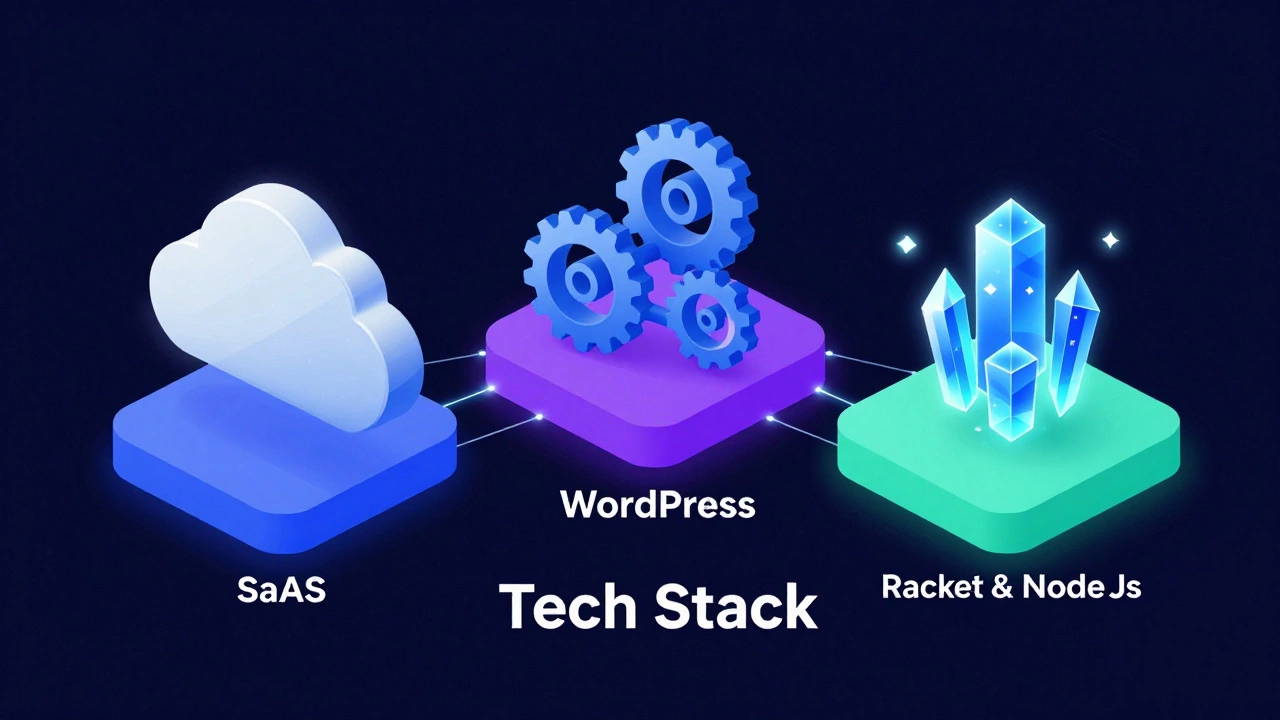
Option 1: SaaS (Software as a Service)
These are 'out-of-the-box' solutions. You pay a monthly fee, and they handle the hosting, security, and payment processing. Examples include platforms like Teachable or Thinkific. These are perfect for those who want to start selling within 48 hours without worrying about server crashes.
Option 2: WordPress + LMS Plugins
If you want more control over your branding and SEO, a self-hosted site using
WordPress is a strong choice. You add a plugin like LearnDash or LifterLMS. This gives you total ownership of your data, but you're responsible for updates, backups, and security.
Option 3: Custom Development
This is for the big players or those with a truly unique feature (like a proprietary AI grading system). You build from scratch using a stack like
React.js for the frontend and Node.js for the backend. It's the most expensive and slowest route, but it's the only way to achieve 100% flexibility.
| Feature | SaaS Platforms | WordPress Plugins | Custom Build |
|---|---|---|---|
| Time to Launch | Days | Weeks | Months |
| Upfront Cost | Low | Medium | High |
| Customization | Limited | High | Infinite |
| Maintenance | None (Handled) | User-managed | Dedicated Dev Team |
Designing the Learning Experience
Content is king, but user experience (UX) is the kingdom. If your students feel overwhelmed by a messy dashboard or bored by a two-hour long video, they will drop out. Completion rates for online courses are notoriously low-often below 15%. To beat this, you need a 'Learning Path' rather than just a folder of videos.
Break your course into digestible modules. Instead of one long lecture, create a series of 5-10 minute 'micro-learning' bursts. After each burst, include a low-stakes quiz or a practical action item. For example, if you're teaching digital marketing, don't just explain 'Keyword Research'-ask the student to find three keywords for their own business and upload the list to the platform.
Don't forget the community aspect. Learning is social. Integrate a forum or a Discord link where students can ask questions and share wins. A student who feels part of a peer group is significantly more likely to finish the course than one studying in isolation.
How to Monetize Your Knowledge
Pricing isn't just about covering costs; it's about positioning. If you price your course too low, people might perceive it as low-quality. If it's too high without enough proof of result, they won't buy. You need to create an online eLearning platform that aligns its pricing with the value it delivers.
Consider these common models:
- The One-Time Purchase: Best for specific, high-value skills (e.g., "Mastering Advanced Excel for Accountants"). You charge a flat fee for lifetime access.
- The Subscription (Membership): Ideal for ongoing education or updated content. Students pay monthly for access to a library of courses. This creates predictable recurring revenue.
- The Tiered Approach: Offer a 'Basic' tier (self-study), a 'Pro' tier (course + community), and a 'VIP' tier (course + group coaching). This allows you to capture both the budget-conscious and the high-ticket clients.
- The Freemium Model: Give away the first module for free to build trust, then gate the advanced content behind a paywall.

Marketing and Student Acquisition
You can have the best platform in the world, but it's useless if nobody knows it exists. Avoid the temptation to spend thousands on Facebook ads immediately. Instead, build an authority engine.
Start by sharing "educational snacks" on LinkedIn, TikTok, or X (Twitter). These are small, valuable tips that prove you know your stuff. When someone sees a 60-second clip of you solving a problem they've been struggling with for hours, they'll naturally want to see the rest of your system. This is the bridge from a social media follower to a paying student.
Focus heavily on social proof. A screenshot of a student's success-like a promotion they got after taking your course or a project they completed-is worth more than ten pages of sales copy. Collect these testimonials aggressively and place them right next to your pricing table.
Avoiding Common Pitfalls
Many first-time creators fall into the 'Perfectionism Trap.' They spend six months recording the perfect videos, only to launch and realize the market doesn't actually want that specific topic. To avoid this, launch a 'Beta' version. Invite a small group of students at a discount in exchange for their honest feedback. Use their questions to refine your lessons in real-time.
Another mistake is ignoring the technical debt. If you go the WordPress route, don't overload your site with 50 different plugins. Every single plugin slows down your page load speed. A slow site leads to frustrated students and lower Google rankings. Stick to a lean setup: a fast host, a lightweight theme, and only the essential LMS plugins.
Do I need to be a professional teacher to start an eLearning platform?
No. In the modern EdTech world, 'proof of result' is more valuable than a teaching degree. If you can demonstrate that you have achieved a specific outcome (like growing a business, learning a language, or mastering a software), people will pay you to show them how you did it. Your goal is to be a guide, not necessarily an academic.
How much does it cost to start an online course platform?
It depends on your path. A SaaS approach can cost as little as $30-$100 per month. A WordPress setup might cost $100-$500 upfront for themes and plugins, plus monthly hosting. Custom development usually starts in the thousands of dollars. For most beginners, the SaaS or WordPress route is the safest way to test the waters.
What is the best way to prevent people from pirating my content?
While you can't stop 100% of piracy, you can make it harder. Use platforms that offer encrypted video hosting (like Wistia or Vimeo) and disable right-click downloads. However, the best defense is adding a 'Live' component-like weekly Q&A calls or a community forum. People pay for the access to the expert and the network, not just the videos.
Which video format is best for online courses?
A mix is best. Use 'Screencasts' (screen recording with voiceover) for technical tutorials, 'Talking Head' videos for introductions and conceptual explanations to build trust, and 'Slide Presentations' for data-heavy information. Keep the total length of any single video under 12 minutes to maintain student engagement.
How do I handle payments and taxes?
The easiest way is to use a payment gateway like Stripe or PayPal. If you use a SaaS platform, they often handle the checkout process for you. For taxes (like VAT in Europe), tools like Quaderno or TaxJar can automate the calculation and filing process based on the student's location.
Next Steps for Different Personas
For the Subject Matter Expert: Don't get bogged down in tech. Choose a SaaS platform today, record five basic lessons on your phone or laptop, and launch a Beta version to ten people. Your focus should be on the curriculum, not the code.
For the Asporter/Developer: Focus on the 'User Journey.' Map out exactly how a student goes from landing page to course completion. Build a lean MVP (Minimum Viable Product) and prioritize the mobile experience, as a huge percentage of learners now study on their phones during commutes.
For the Business Owner: Treat your platform as a product. Establish KPIs (Key Performance Indicators) like 'Course Completion Rate' and 'Customer Acquisition Cost.' If students aren't finishing the course, they won't give you the testimonials you need to scale.